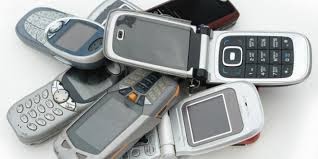
How to increase memory in Mobile Phone

In last post you have seen many free mobile phone unlock codes. Now free tricks for mobile phone to Increase your mobile memory

By regularly checking the task manager you can make more free memory by closing the background application

Second method - Smart Launcher trick:

For smooth working of mobile phones it is needed to have more free memory and everyone like that mobile work smoothly.Soo and there are software available like smart launcher by which you can increase free memory in your mobile same you are doing with your computer.
First install smart launcher to your mobile and go to option.
Then setting and make launcher on. Now plug on your charger and switch of your phone.

Wait till it shows battery meter on screen and then press Menu button of your mobile don’t hold it just press for a while and release.

You can see Manu on screen and you can have 4 to 5MB free RAM
Hold Menu button to check RAM.

Trick behind this is that when charger plugged in, the phone must have a minimum software for charging your mobile, somehow Smart Launcher has still got its shortcut running and thats the Menu button appear. So when you click Menu button, you go directly to the Menu, no other phone tasks running in the background so you trick the phone and you have more free RAM!

Third method
Start your phone in flight mode by using Psiloc system tools. Install system tools and open it and select flight mode. With this you can restart the phone without using your SIM card. So no other application running in back ground you can have more free RAM.

Fourth method
By this way you can increase around 200-300KB space but I think it is useful for you.soo be like smart guy don’t close your menu by selection right selection key and exit or pressing the menu key another time. These ways it only hides the application but do not close it. To close it, choose the left selection key and option and scroll down and then select "exit".
Read More..

The new API of Google Play Services makes Android better how

In the event Google I / O takes place at No. 5, the least we expect Android 4.3 or 5.0 did not happen. Instead, Google has announced details of the new features soon appear on Google Play Services. These changes can not be made, but we are interested in is very important for the development. So Google Play
Read more »
Read More..

Tips How to Buy Phones Second

buy phones


Buy phones second, Hand phone today has grown rapidly , and has become a necessity for every person. Imagine one day we do not grasp Mobile taste this finger itching to push-push anything . There are a variety of mobile phone brands , types and products ranging from the cheapest to the luxurious with high technology such as mobile phones coupled with PDA facility , 3G , digital camera , bluethooth , etc. , the more its features will be more expensive .

Because the price of more expensive new phone , many of us prefer to buy phones second, for a cheaper price we can get more feature complete than buying a new one . The following are some tips to buy a used Mobile we have to consider are:

Market price , which is the main requirement for buy phones second in each store must be different for you can see the benchmark price in the classifieds or tabloid tabloid pulses or sms then match the price in the store if the store is too expensive in price appeal in
classified ads just say " your price above the market " from which you directly to give an offer with the lowest price , for the other before you can purchase a survey of stores to shop compare differences do not correspond to the market price .
    
Buy phones second, Warranty , it is important whether it is an official guarantee / warranty shop , check first whether you will buy phones second for official warranty is still valid . Good store warranty is the warranty period of at least 3 months .
    
Buy phones second, Battery , it is a scourge in buy phones second, batteries become drop ( lowbat ) . There is a trick to know the batteries are still good or not first consider whether the flat surface of the battery / no ? . If not flat ( bubble ) it means the battery should be replaced aging . The second is the play menu , ringtone , call , shakes , mp3 , if we play the menu in 2-5 minutes if the battery indicator full marks then you play the menu and all of a sudden there is written the battery is weak then discovered that the batteries are exhausted . For HP battery brand Nokia original pictorial hands were shaking and a hologram .
   Buy phones second, 
LCD screen , it is also important because this part is quite expensive spare parts . While many are cheap but the quality is bad . Tricks to know the quality of the LCD is still good / can not you check to see the LCD surface from the right side under the left tasa if somewhat dark color LCD or LCD surface is uneven black speck like burning the LCD means qualitasnya ugly and the former in service . There are other ways see the quality of the LCD by pressing the outside of the upper and lower LCD frame if the press and then release note whether the on-screen menu remains intact or is opaque .
    
Buy phones second , Body parts in , take a look at the keypad transparent mica surface look at the cover bolts are visible cracks / still smooth ?
   Buy phones second, 
Seal , it is important see if nokia hologram seal still attached or been removed if it is disconnected or no longer , meaning the hp once in service .
   Buy phones second,  
Signal , is the life of a mobile phone in nokia many cases is no signal damage occurs to signal his replacement spare parts just about 200ribu . But many tricked by serviced by raising the signal for a while and then sold . To check the signal that there is a powerful way to use the card if using sympathy SYMPATHY if the signal is visible up and down too long may signal already dilapidated . Because the signal is very simple sympathy card was arrested in another appeal .
    
Buy phones second, Packing boxes and guidebooks , match boxes whether it is really appropriate boxes to mobile phones listed . To match between the boxes and mobile phones can be seen from the IMEI number printed behind the battery and in sampng box if the number is the same skewer . If different it could be a stolen phone . If the IMEI number is not there , you can find out by pressing * # 06 # on the phone keypad and the IMEI number will appear on the phone screen . Match the numbers on the screen with the labels
    
Buy phones second,  Check the year of manufacture , it is important to check the year of manufacture useful to know how long it is used . To check the year of manufacture by pressing * # 0000 # ( Nokia ) on the year of manufacture keypad will appear on the LCD screen .
Read More..

Powered by Blogger.